Ship queries & schema at
native macOS speed.
Sub-second cold starts, virtualized AppKit NSTableView streaming grids,
Keychain & Citadel SSH tunnels,
Apple Intelligence SQL generation, and opt-in
MCP live reads for Claude Code, Codex, and Antigravity.
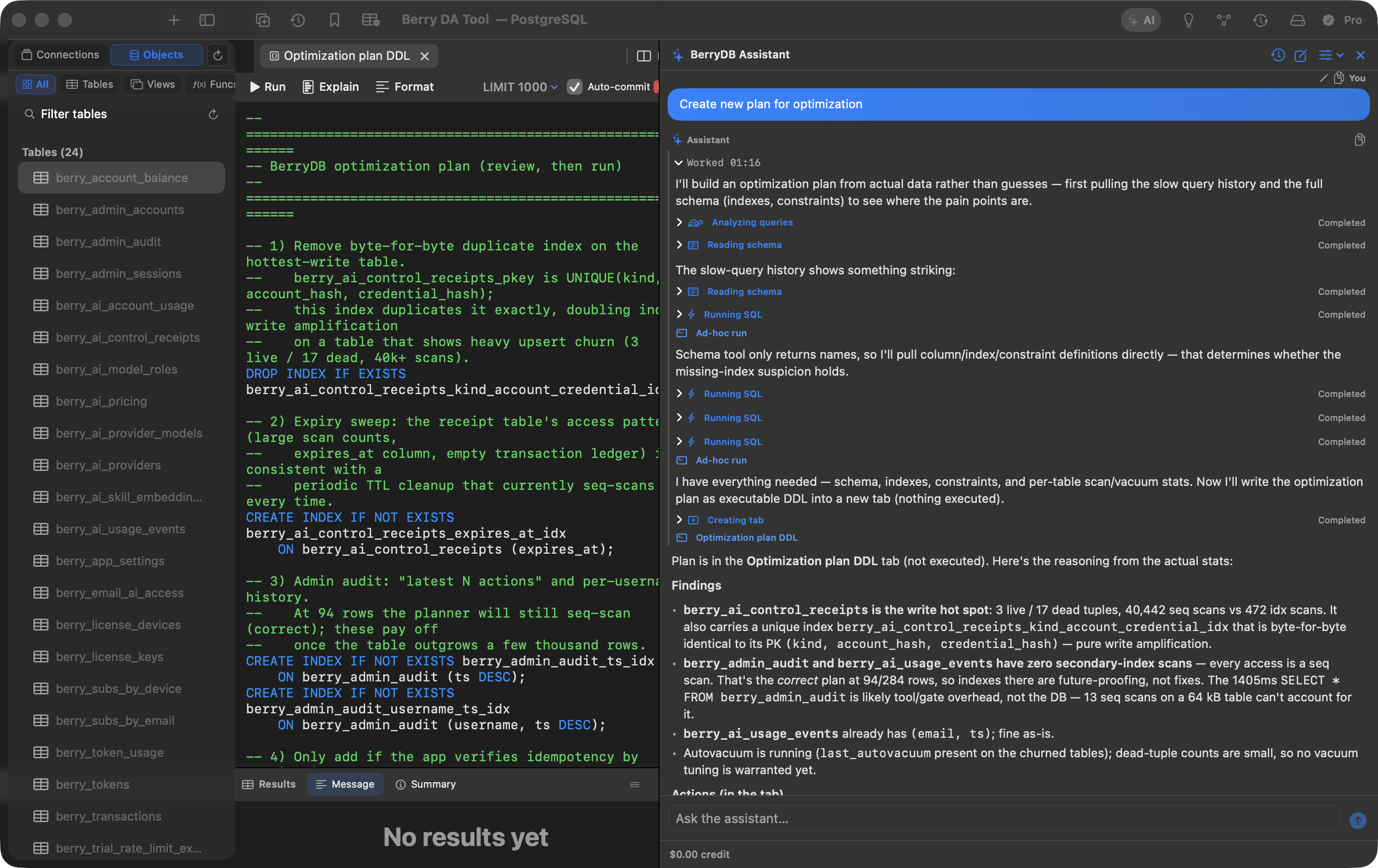
Inspect every AppKit surface in context.
Select any capture module or click numbered pins on the canvas to examine BerryDB subsystems up close.
Multi-Pane SQL Workbench & AI
AppKit reuses only visible cell views regardless of whether a result set streams 100 or 100,000 rows into the bounded memory buffer.
Virtual NSTableView with transactional cell writes.
Rows stream incrementally as packets arrive from native wire drivers. Double-clicking any cell with a primary key stages inline mutations and commits all pending changes inside one explicit atomic transaction.
- ✓ Capped at 1,000 rows by default; expand limit on demand
- ✓ Server-side WHERE filtering and column-type formatting
- ✓ Real query cancellation (
pg_cancel_backend,KILL QUERY)
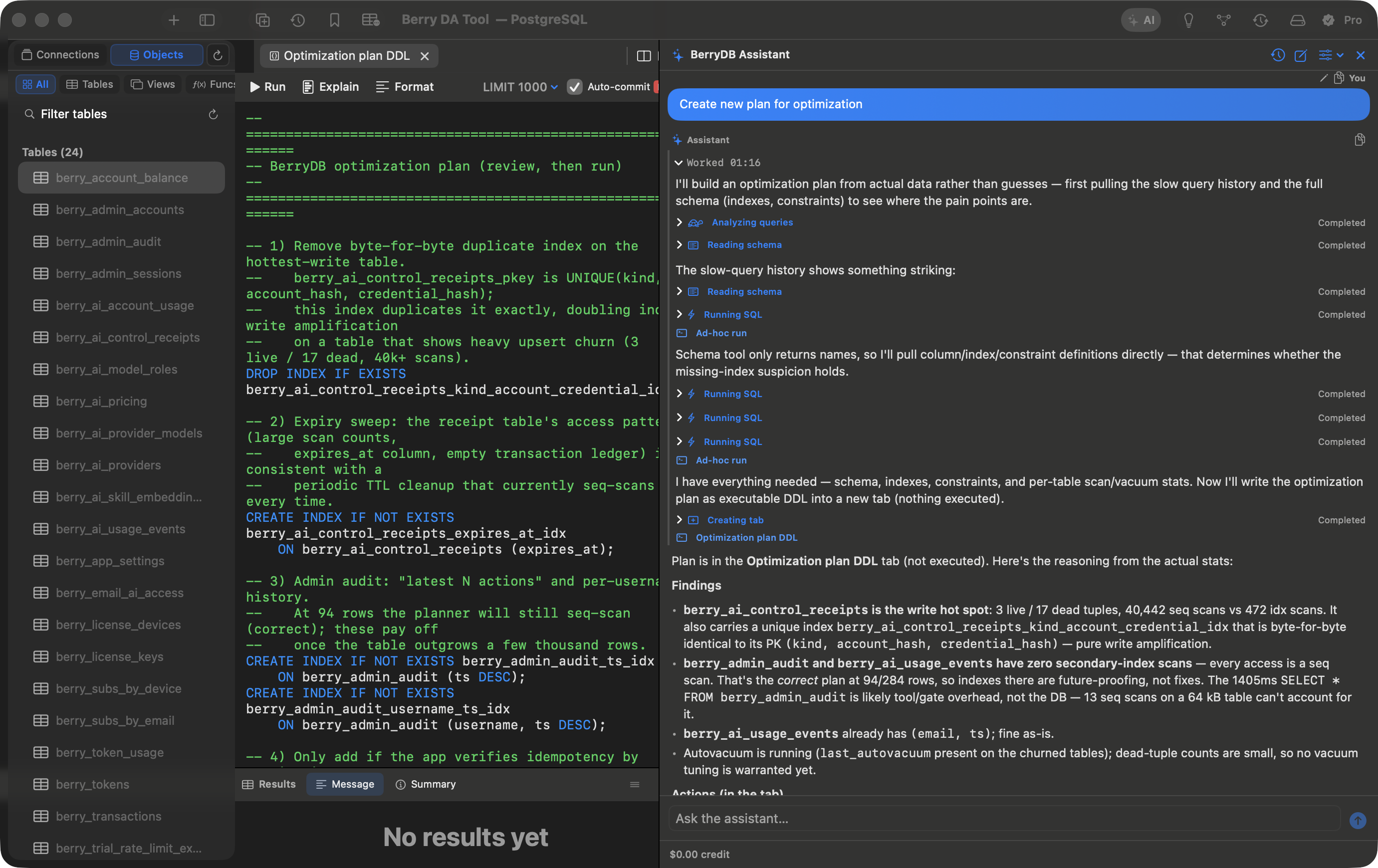
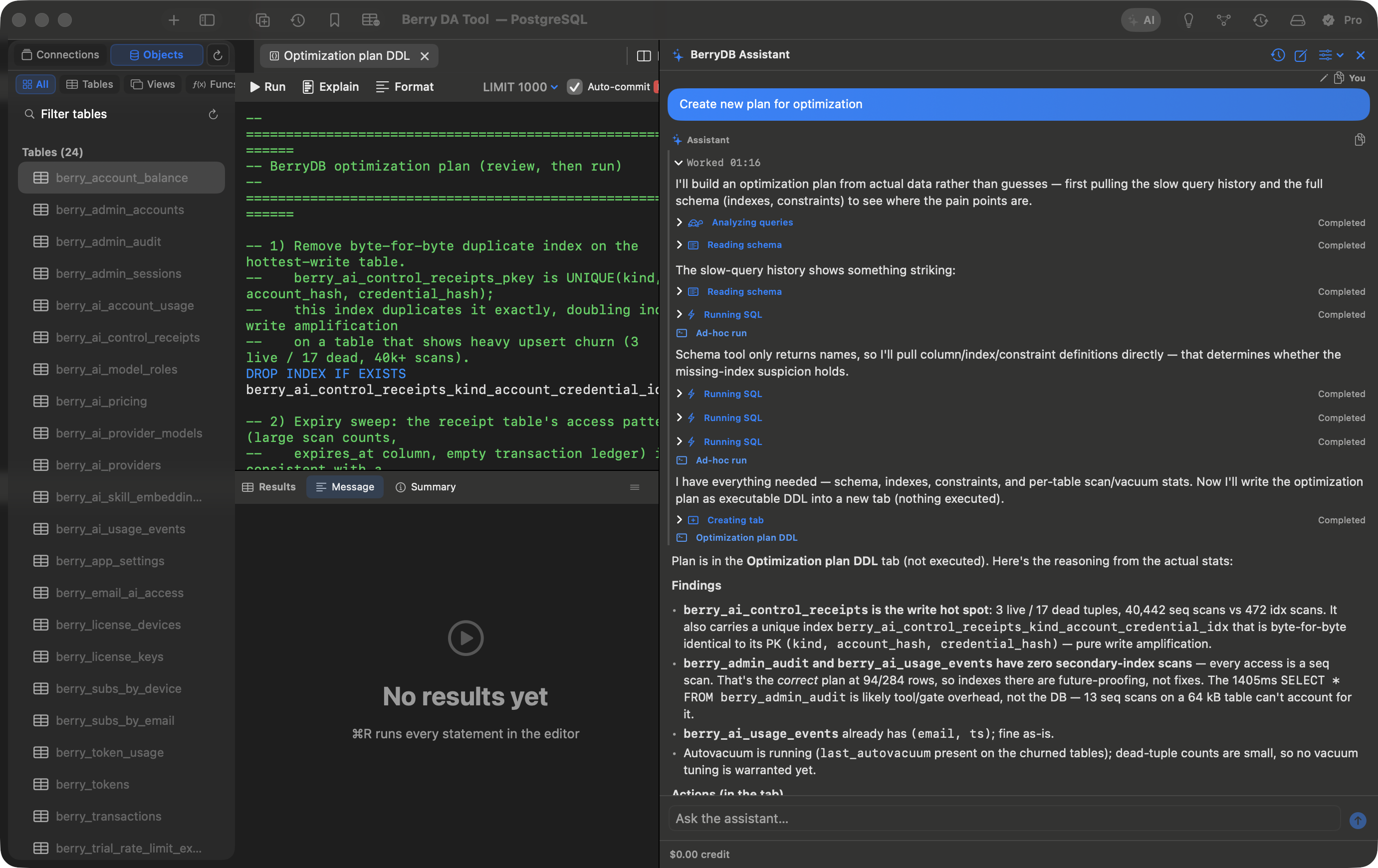
On-device private inference or cloud reasoning, never guessing writes.
Generate multi-table JOINs, inspect EXPLAIN trees, and render schema ER diagrams directly in a workspace tab. Switch to Apple Intelligence (macOS 26+) for free on-device turns that transmit zero data to external servers.
- ✓ Safe SELECT auto-runs execute via a separate read-only connection on PostgreSQL, MySQL/MariaDB & SQLite
- ✓ Mutations trigger explicit user approval cards before execution
- ✓ Copilot disabled by default on connections labeled Production
macOS Keychain credentials and visual structural audits.
Every password, API key, and passphrase stays inside the macOS Keychain. Pure-Swift Citadel SSH tunnels forward bastion connections inline, while Schema Designer and Visual EXPLAIN expose index health without raw boilerplate.
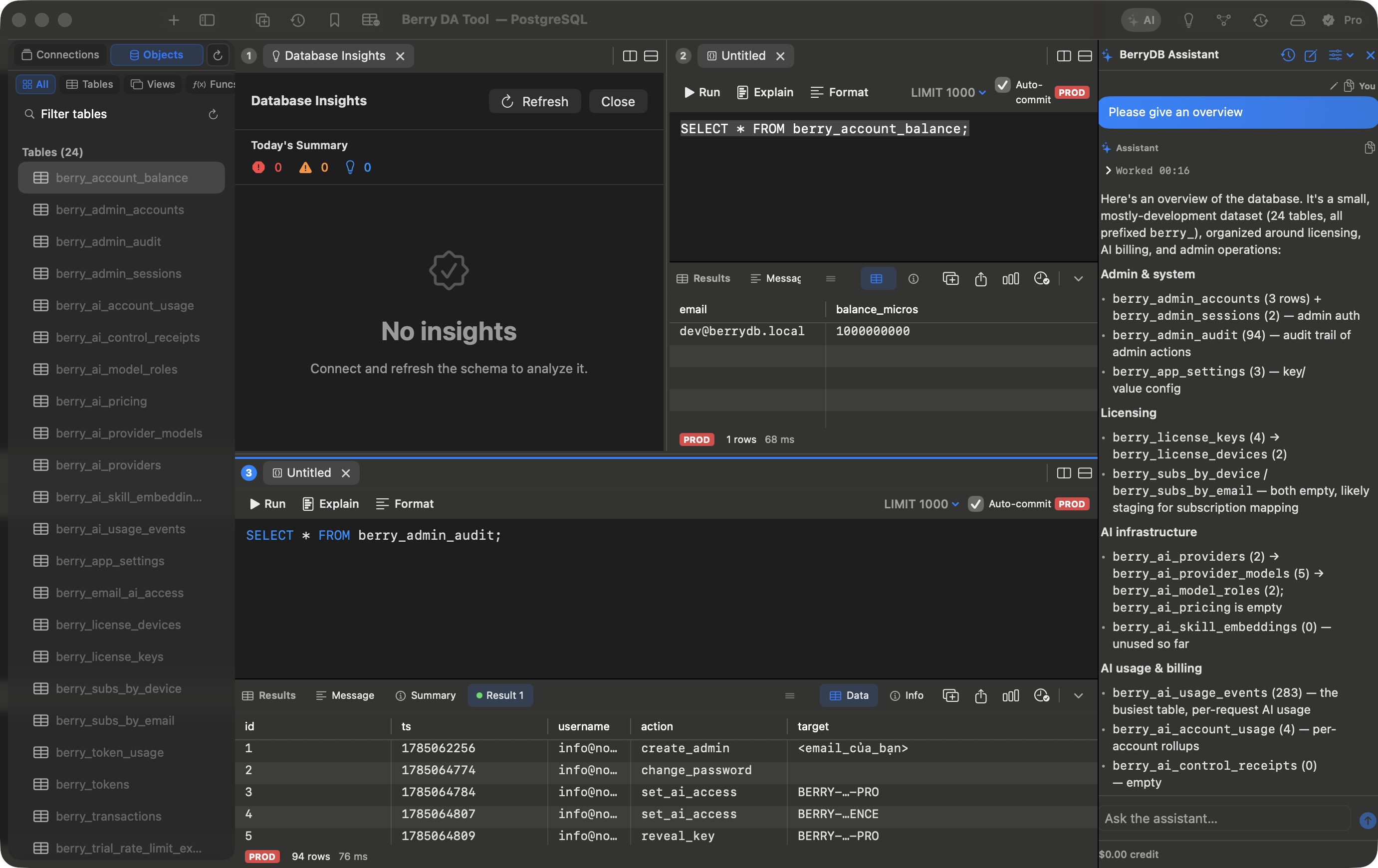
Switch database engines & inspect the grid live.
Schema cache by default. Opt-in live reads under database locks.
Claude Code, Codex, and Antigravity read cached schemas offline. When per-connection Live Reads are enabled in Settings, berrydb_execute_read_query and berrydb_dynamodb_query enforce read-only transactions, least-privilege refusal on write-capable PROD users, time-bound expiry (1h/8h/24h/7d), and keyed HMAC audit logging.
Reproducible Swift performance vs Electron & JVM wrappers.
Baseline measured on Apple M1 (16 GB RAM, macOS 26.6.2 release build). Run scripts/measure-performance.sh in the repository to benchmark locally.
Verified Launch Telemetry & Safety Ceilings
scripts/measure-performance.shNSTableView per queryPostgresNIO, MySQLNIO, libsqlite3, libsybdb, valkey-swift, MongoWireClient, SigV4/RESTNo bundled Chromium binary, Node.js runtime, or JVM heap.
| Capability | BerryDB | Electron GUI | JVM Tooling |
|---|---|---|---|
| Native UI Toolkit | AppKit + Swift 6 | Chromium DOM | Swing / JCEF |
| Credential Vault | macOS Keychain | Encrypted File | Keystore / File |
| Local AI Inference | Apple Intelligence (macOS 26) | Cloud API only | Cloud API only |
| MCP Schema & Live Reads | Built-in berrydb-mcp | Manual plugin | Manual bridge |
| Read-Only Guard | Separate RO Conn + TX | Prompt warning | Session flag |
| License | Apache 2.0 | Proprietary | Paid Subscription |
One unified workspace across SQL, NoSQL, KV & Vector.
| Engine | Wire Driver / Protocol | SSH Tunnel | Inline Edit | MCP Cache + Live Reads |
|---|
Modular Swift package architecture built for isolation.
On macOS 26 with Apple Intelligence, on-device turns keep prompts and schema context locally with zero network transfer. Cloud mode shares only questions, DB engine type, cached schema names, and up to 100 result rows per tool run.
Built atop PostgresNIO, MySQLNIO, valkey-swift, libsqlite3, MongoWireClient, and FreeTDS libsybdb—eliminating external CLI wrappers.
Mermaid ER diagram generation, searchable query history replay, batch CSV/JSON/SQL wizards, and table storage/scan telemetry in native tabs.
Every workspace dialog & profiler, Retina sharp.
Click or press keys built around Apple ergonomics.
Ready in seconds on Apple Silicon.
How do MCP live reads prevent destructive writes by coding agents? +
SQL live reads via berrydb_execute_read_query are off by default. When enabled per connection, each statement must pass BerryDB's read policy and executes inside a database read-only transaction (SQLite: query_only). Production-labeled connections refuse write-capable DB accounts and require explicit time-bound windows (1h, 8h, 24h default, or 7d).
What leaves the Mac when using Apple Intelligence vs Cloud AI? +
On macOS 26 with Apple Intelligence, on-device turns transmit nothing to BerryDB's AI service. Cloud mode transmits user questions, engine type, table/column schema names, and up to 100 query result rows per tool run. All MCP tool output returned to Claude Code, Codex, or Antigravity flows to that agent's model provider.
How are database credentials and SSH keys stored? +
Passwords, API tokens, SSH passwords, and SSH key passphrases reside exclusively inside the macOS login Keychain. Private key files remain at their user-managed filesystem paths.